Today I received a discarded QNAP device. Unfortunately, I’m not a big fan of QNAP’s software, so I took the time to take a closer look at it. Since the device itself doesn’t have any video ports, I’ll have to find another way to update the firmware if necessary.
Assessment
At first glance, the device didn’t give me much hope, since I only spotted a memory chip I hadn’t seen before.
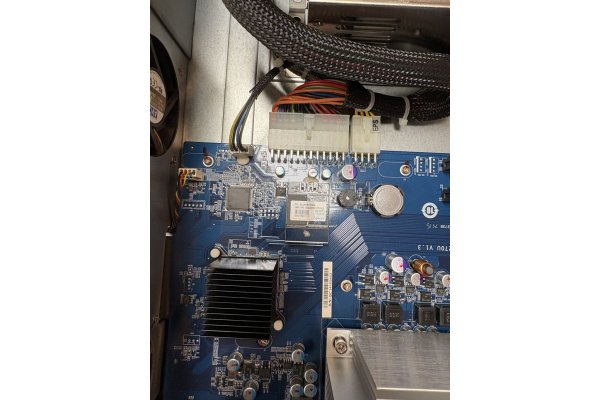
After taking a closer look at the memory chip, I realized that the connector strongly resembled an internal USB header. With a little research, I found out that this is what’s known as a DOM. And indeed, it can be controlled via USB and behaves almost like a USB flash drive.
With a few DIY supplies (a USB-to-breakout cable), I was able to read the data from the flash drive on my PC.
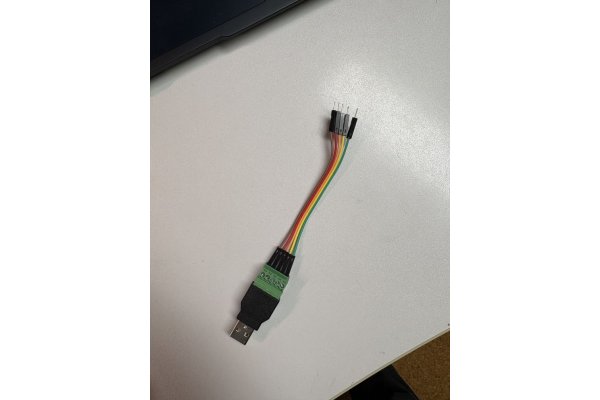
Here's a picture of the pinout and how the DOM is recognized by the kernel:
| Yellow USB +5V Orange USB D- Red USB D+ Brown USB GND |
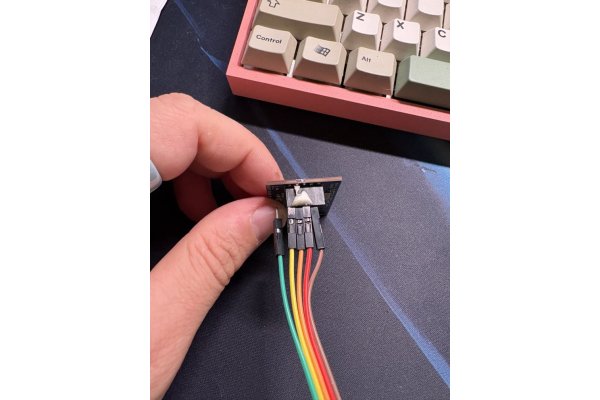 |
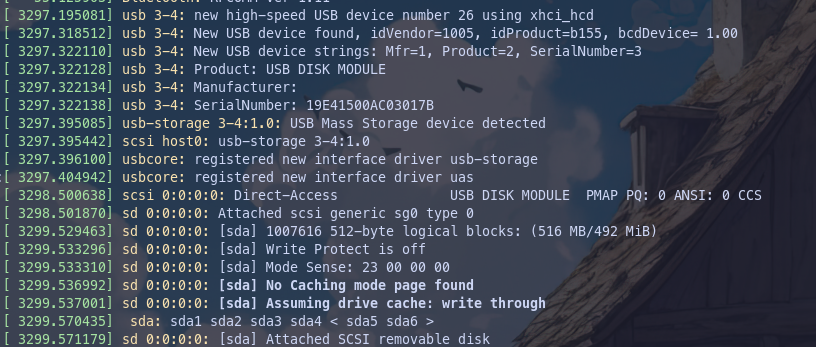
Dump the DOM
Since I wasn't sure if my experiment would work, the very first thing I did was create a backup of the DOM:
mkdir ./qnap_re
dd if=/dev/sda of=/path/to/backup/qnap-dom-backup.img bs=4M status=progress
After I created the image, I wanted to take a look at the DOMS structure. So I created a “loop” device and placed the image I'd just created inside it.
Inspect the DUMP
sudo losetup -Pf --show qnap-dom-backup.img
/dev/loop0
sudo -E gparted /dev/loop0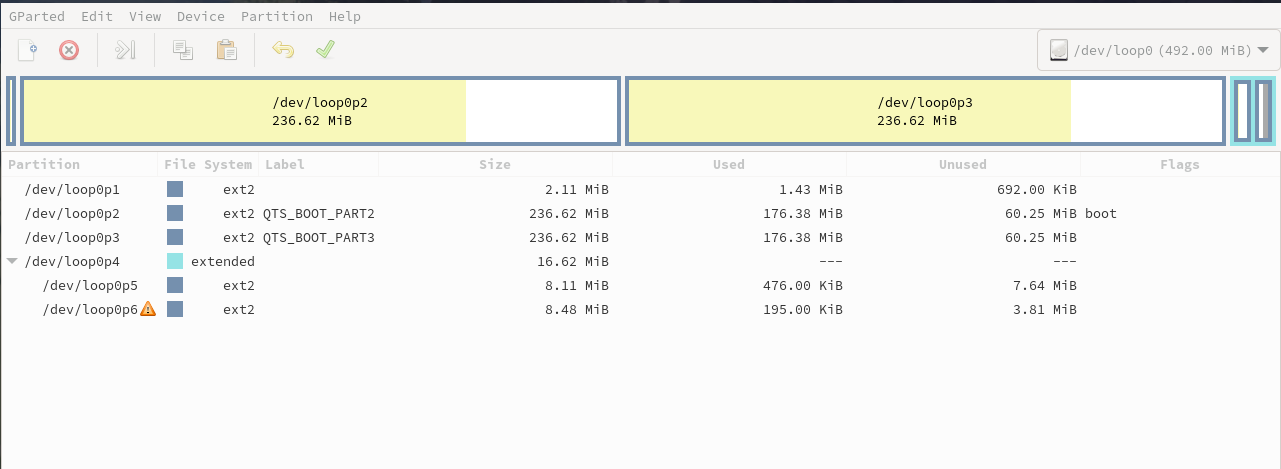 As you can see, it's all pretty straightforward. After mounting each partition once, I understood the structure of the DOMS:
- Partition 1: GRUB bootloader files and modules. This is where the boot process begins.
- Partition 2: Primary boot partition containing:
- bzImage - Linux kernel
- initrd.boot - Initial ramdisk
- rootfs2.bz & rootfs_ext.tgz - Compressed root filesystem
- qpkg.tar - QNAP package system
- All files have a .cksum for integrity verification
- Partition 3 Duplicate/backup of Part 2 (dual-boot or fallback firmware)
- Partition 5 Empty, likely reserved for config or logs
- Partition 6 Configuration storage:
- smb.conf - Samba configuration
- uLinux.conf - System configuration
- system.map.key - Possibly encryption or license keys
The way I see it, I should be able to modify the DOM so that a lightweight version of Linux (Alpine) starts up.
Prepare VM for alpine Setup
- Firs download a a ISO (X86_64) from https://www.alpinelinux.org/downloads/
- create a virtual Machine with that ISO
- redirect the usb device to the vm and DO NOT use LUN because it makes me troubles (writeerrors)
- boot the vm
Once Alpine has booted, we can begin configuring the DOM.
- start fdisk (fdisk /dev/sda)
- delete all existing partitions and persist the table
- reboot (partprobe,blockdev does not work for me)
- start setup-alpine
- Follow the steps until you reach the “Disk & Install” step, then cancel.
- install the needed extprogs (apk add e2fsprogs)
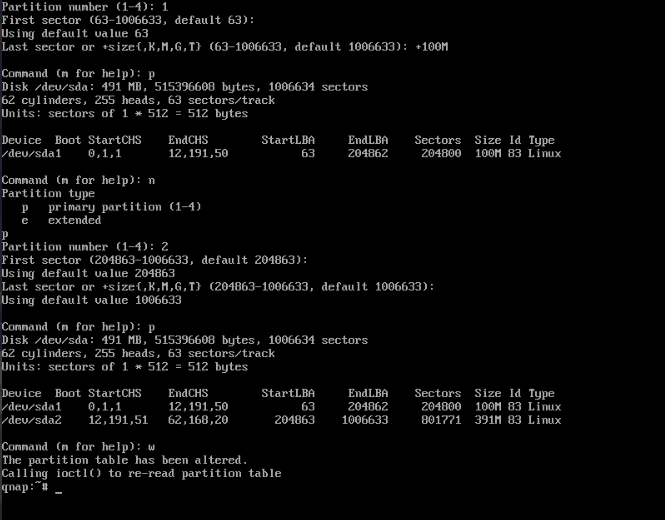
- part the DOM (sda1 100MB boot | sda2 rootfs)
- reboot (why does partprobe not work?)
-
create the filesystems
mkfs.vfat -F 32 /dev/sda1 mkfs.ext4 /dev/sda2 reboot -
start setup-alpine and follow the steps until you reach the "Disk & Install" step, then cancel.
-
mount the existing partitions
mount /dev/sda2 /mnt mkdir /mnt/boot mount /dev/sda1 /mnt/boot setup-disk -m sys /mnt -
wait until the setup-disk tool is done
Now the system is on the DOM, but it still needs a bootloader. I'm using Syslinux here because it's lightweight and does the job.
apk add syslinux
dd bs=440 count=1 conv=notrunc if=/usr/share/syslinux/mbr.bin of=/dev/sda
cp -a /usr/share/syslinux/menu.c32 /usr/share/syslinux/ldlinux.c32 /usr/share/syslinux/libcom32.c32 /usr/share/syslinux/libutil.c32 /mnt/boot/
extlinux --install /mnt/boot
fdisk /dev/sda
 # press a 1 w that marks part1 as bootable
output of the commands:

First boot from DOM
Now we're ready to remove the CD from the VM to see if the DOM boots Alpine. It looks good for me:
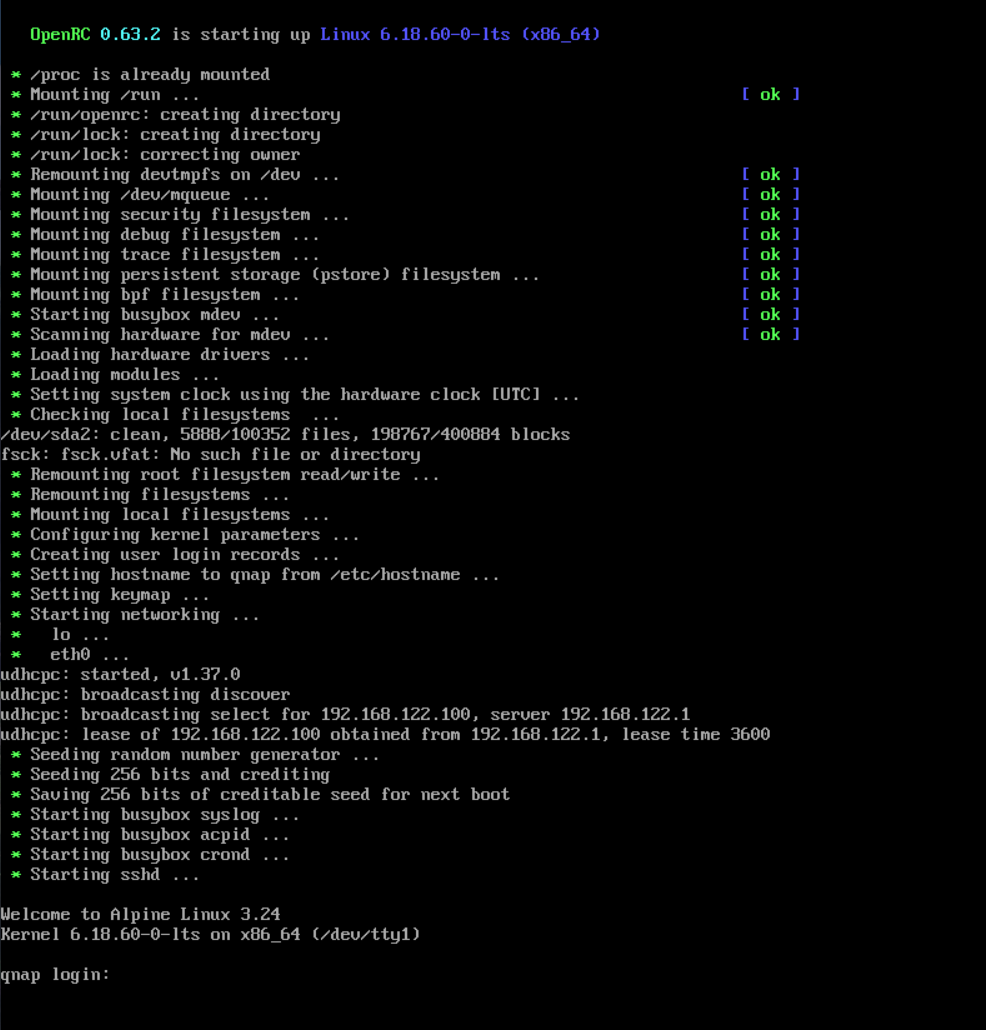
i have inserted the DOM back in the QNAP and YES! one of the interfaces makes a DHCP offer. Afterwards i can sign in via SSH and have a running Alpine Linux Shell. The Disks getting recognized and i have successfully created a zpool.
